Tenavora Get online, the easy way
Skip to content

What you sell, your prices and a WhatsApp button. Make it yourself in minutes.

Customers open one link, see your menu, services or products with prices, then chat straight to your WhatsApp.

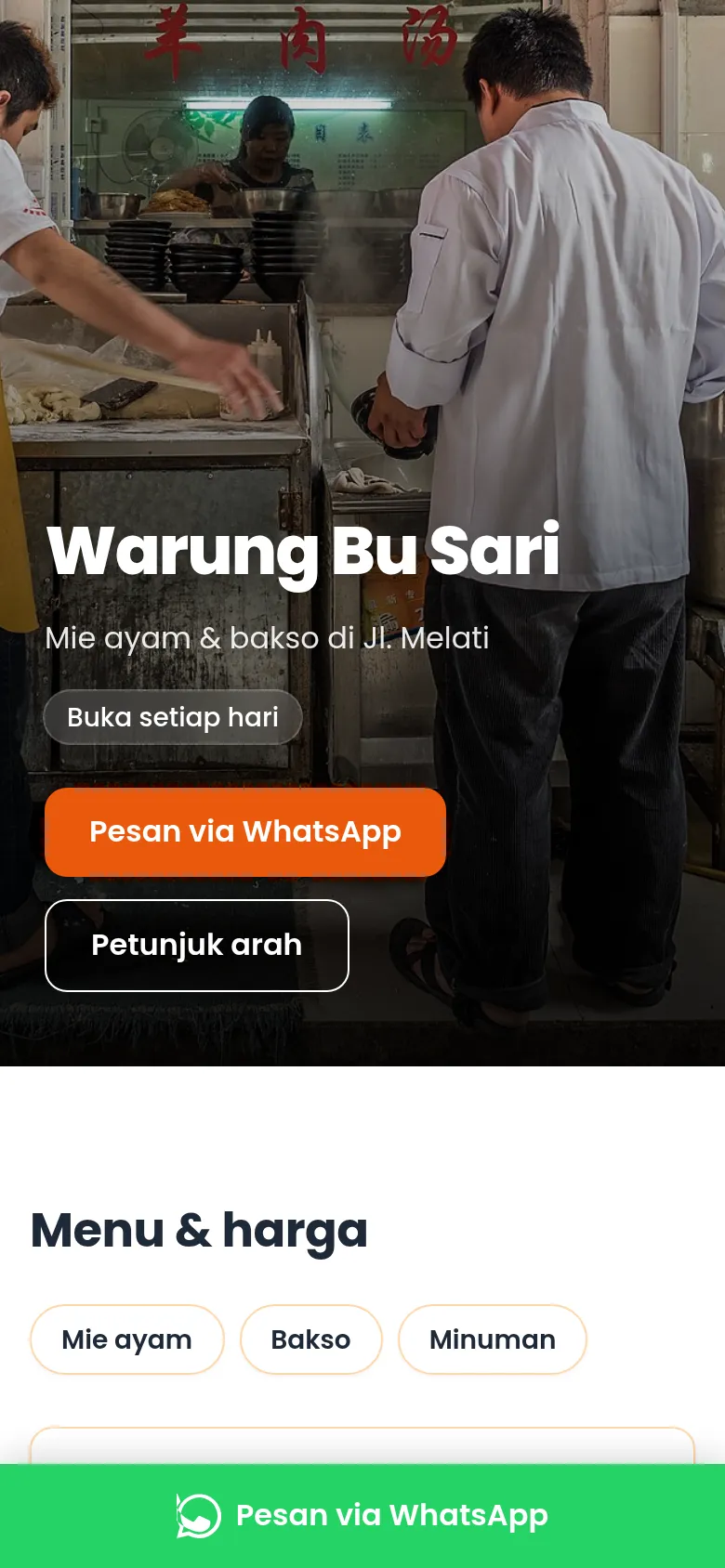
Warung Bu Sari's page on a phone: the stall photo, an Order via WhatsApp button and Directions
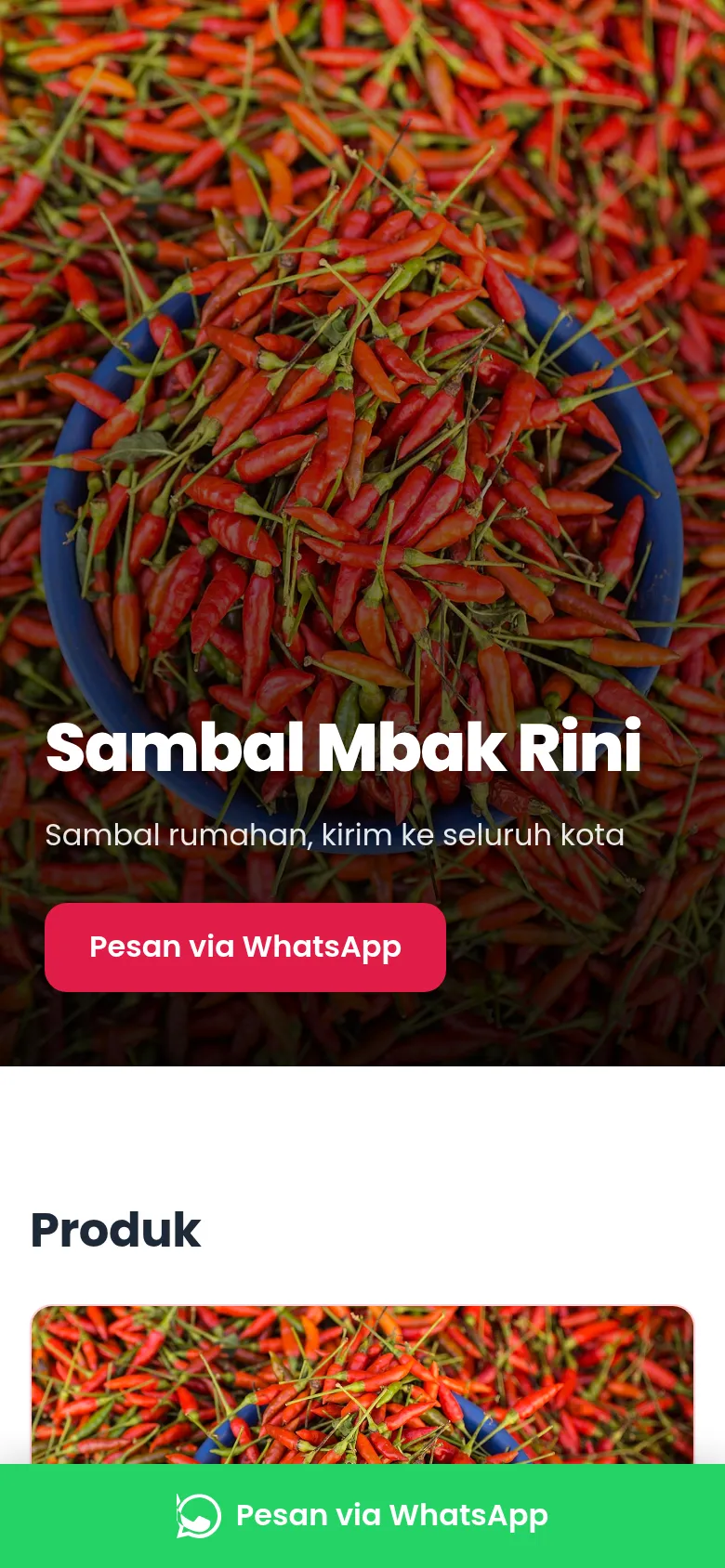
Sambal Mbak Rini's shop page on a phone with its products and an Order via WhatsApp button

What it looks like on a customer's phone

The example below is a food stall. For a salon, workshop or shop it lists services or products instead, with the same prices, WhatsApp button, opening hours and map.

What your customers see

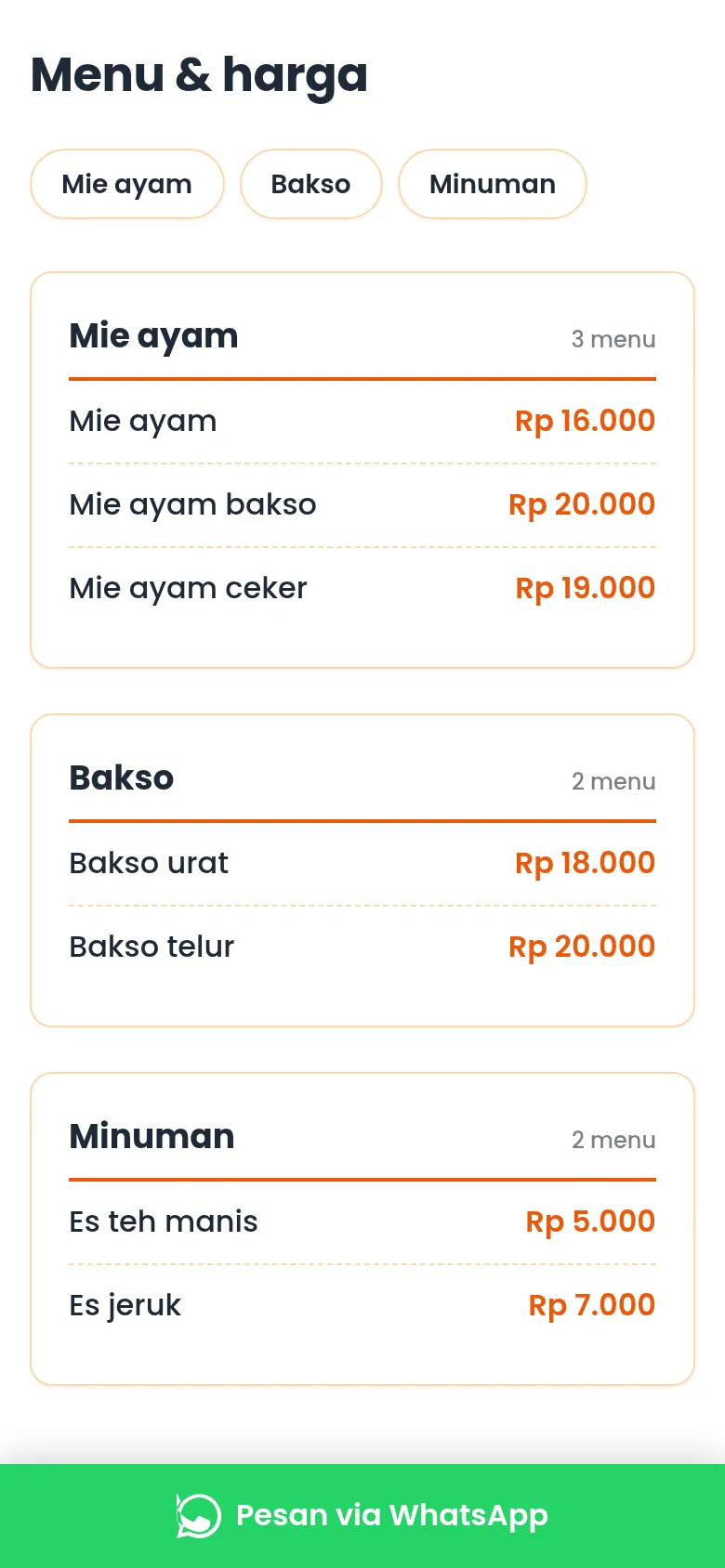
  • Your menu, services or products by category.
  • A WhatsApp button with a ready-written message: they just type the order or question.
  • Opening hours, the address and a map that opens Google Maps.
  • Photos of your place and what you sell.
  • The customer reviews you choose.
  • A QR code for tables, the counter, windows or packaging.
Warung Bu Sari's menu and prices on a phone: noodles, meatballs and drinks by category, prices on the right

How it works

Three steps, no new app.

  1. Pick a design

    Sign up, pick one of 31 ready-made designs, then add your business name and WhatsApp number.

  2. Add your menu and prices

    Type your menu, services or products with their prices and upload photos from your phone. See the result before it goes live, then change it any time.

  3. Share it

    Put the link in your Instagram and TikTok bio and your WhatsApp status, and stick the QR code up at your place.

Business Plan

For every kind of business — from a corner stall to an established brand.

Want to try it yourself first? Start a free trial with 31 ready-made designs

Includes

  • 1 business page at sites.tenavora.com/your-business
  • Edit it yourself any time, from your phone
  • A button asking customers to review you on Google
  • Visitor report in the app: how many people opened the page and tapped the WhatsApp button
  • Content Ideas: weekly post ideas for your kind of business
  • One payment a year by QRIS or virtual account

Frequently asked

What if the prices on our menu change?

Change them yourself from your phone. It's live straight away.

Does this replace marketplaces or GoFood?

No. This is a direct channel into your WhatsApp, with no cut taken by us. Your marketplace shop and delivery apps keep running.

Where do orders and questions arrive?

In the WhatsApp you register, as an ordinary chat. No new app needed.

Can I use my own .com address?

Not yet. Your page lives at sites.tenavora.com/your-business. Custom domains are coming later.

What if I stop?

Click Stop subscribing on the Subscription page. The page stays up until the end of the paid period, then comes down. No penalty.

Who owns the content?

You do. The photos, menu or service list and prices are yours; we only display them.

Customers are already looking for you on Google Maps. Give them your prices and a WhatsApp button.

Try it free for 14 days: make your business page yourself from your phone, no credit card needed.